 JianyingAPK
Jianying
Jianying is a free video editing app for Android from ByteDance, built around a fast multi track timeline with templates, automatic captions, keyframes and beat synced music. It is the domestic Chinese edition of the editor family known worldwide as CapCut, and it is where new editing tools in that family usually appear first.
This page is our hands on review hub for the Jianying app: verified package facts, a full feature tour, real screenshots, install steps written for this editor, and the troubleshooting answers our reviewer gives most often.
Free to use. Tested on real Android phones by our reviewer before this page was published.
| App Name | Jianying |
|---|---|
| Version | 20.2.0 |
| Package Name | com.lemon.lv |
| Developer | Bytedance Pte. Ltd. |
| File Size | 402.3 MB |
| Requires Android | Android 5.0 or higher |
| Category | Video Editing |
| Price | Free, with optional premium catalogue items |
| Permissions | Media and storage for clips and exports, microphone for voiceovers, camera for in app recording, notifications optional |
On this page
What's New
The current Jianying build continues the editor's recent direction: faster AI tools, a deeper template catalogue and smoother timeline performance on mid range phones. Highlights of the current release line include:
- Refined automatic captions with better line splitting and easier batch restyling across a whole project.
- Faster portrait cutout processing, with cleaner edges on hair during quick movements.
- New template and effect packs in the catalogue, including fresh text styles for short vertical video.
- Speed curve presets that make common ramps, a slow middle with fast ends, a two tap job.
- Export stability fixes for long projects and heavy effect stacks on Android 13 and 14 devices.
- General timeline performance work, most noticeable when scrubbing projects with many overlay tracks.
What Is Jianying?
Jianying is a video editing application for Android developed by ByteDance, first released in China in 2019. It lets you arrange clips on a multi track timeline and add captions, music, effects, filters and voiceovers, then export a finished video sized for the platform you publish on.
The name Jianying is used in mainland China, while the international edition of the same editor is called CapCut. Both editions share the same editing engine and project model. Jianying's catalogue is curated for its home market, with Chinese fonts, domestic music licensing and templates built around Douyin trends, and new features frequently arrive in this edition first.
People search for the Jianying APK, the Jianying app and the Jianying video editor for the same reason: they want this deeper catalogue and earlier feature set on their Android phone, even though the interface is in Chinese. The tools are icon led, so experienced editors usually find their way quickly.
Why People Download Jianying
- Earlier features. AI tools and effects often launch in Jianying weeks before they travel to other editions.
- A deeper template pool. The home catalogue is large and refreshes constantly, which matters if templates drive your format.
- Serious tools, free core. Keyframes, chroma key, speed curves, captions and cutout are part of the standard editor.
- Phone first workflow. The whole edit, from import to export, happens on the device you shot on.
- Beat driven editing. Automatic beat markers and a big music library make rhythm edits fast to build.
Main Features
Multi Track Timeline
Stack video, overlays, audio, text and effects on separate tracks and trim each one at frame level. The timeline is the centre of the Jianying app, and it stays responsive even on mid range phones.
Automatic Captions
Speech recognition builds a timed subtitle track from your audio. Restyle the whole track at once, split long lines, and burn captions in or keep them editable until export.
Keyframe Animation
Animate position, scale, rotation and opacity between keyframes. Slow zooms, pans, spins and moving text all come from this one visual tool on the timeline.
Templates
Finished edit structures with cuts, effects and music already timed. Replace the clips and text, and a publishable video is ready in minutes, which is how most short video trends spread.
Chroma Key and Cutout
Remove a green screen with chroma key, or isolate a person automatically with portrait cutout and place them over any background, no studio required.
Speed Curves
Slow motion, fast cuts and smooth ramps inside a single clip. Preset curves cover the common patterns, and the curve editor gives full control when you need it.
Music and Beat Sync
A large licensed music catalogue with automatic beat markers on the timeline, so cuts land on the pulse without manual tapping and trimming.
Text to Speech
Type a script and generate a voiceover track in a choice of voices. Useful for tutorials, lists and channels that publish on a schedule from noisy places.
Filters and Colour
Professional filter sets plus manual contrast, saturation and temperature controls. Save a look and apply it across a whole series for a consistent feed.
App Screenshots
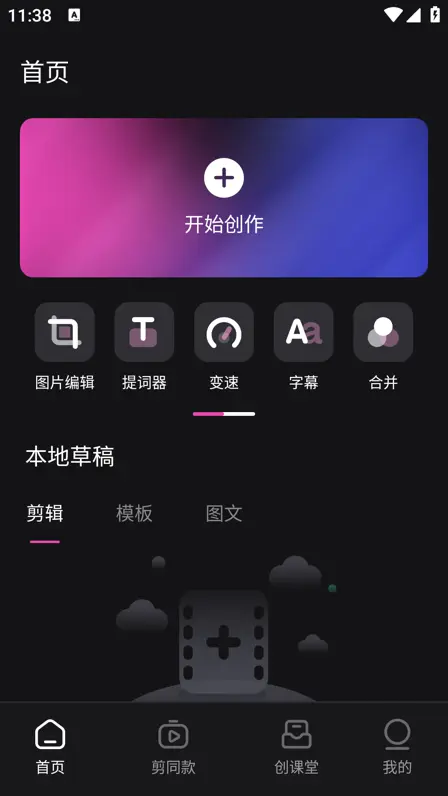
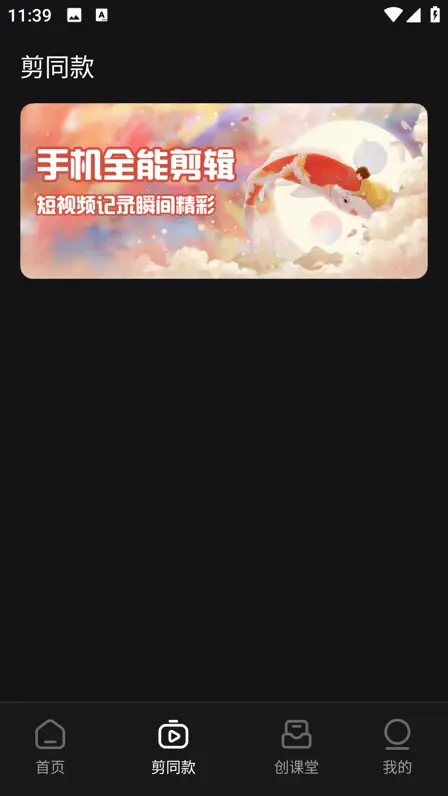
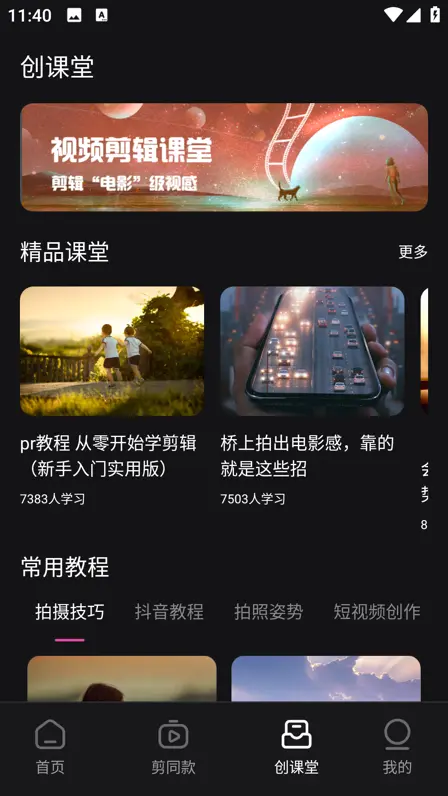
Real screens from the Jianying Android app, captured from the current product. Swipe or scroll sideways to browse them.

Safety and Verification
Every build we review is checked the same way. We confirm the package identity, com.lemon.lv, walk the permission prompts on a real device, and run full editing sessions before anything is published here. For this review the app was tested on a Galaxy A55, a Pixel 8 and a Redmi Note 13 Pro, covering install, timeline work, captions, cutout and exports at 1080p and 4K.
The permission set matches the features: media access to read clips, storage to save exports, a microphone for voiceovers, and camera access for the in app recorder. Nothing in the tested build requested access unrelated to editing. Our full method is described on the How We Review page, and our safety guide explains the checks you can repeat on your own phone.
How to Download and Install
- Free at least 2 GB of space on your phone, so the install, resource downloads and your first export all have room to work.
- Open the download page on this site and follow its on screen steps. The page uses a short countdown before the download area unlocks.
- When the file is on your phone, tap it in your downloads list. If Android asks you to allow installs from your browser, grant it for this install, then run the installer with the screen on.
- Open Jianying, allow media access so the editor can see your clips, and start a new project from the home screen's creation panel.
- Make one short test export at 1080p. A clean export confirms the install, the permissions and your storage are all healthy.
Our install guide covers each of these steps in more depth, including what to do when the installer reports that the app was not installed.
How to Update
Update Jianying in place: install the newer build over the current one and your drafts, downloaded templates and resources carry across. Do not uninstall first, because removing the app deletes local drafts that were never exported. Before a major update, export any project you cannot afford to lose, keep the phone on Wi-Fi for the first launch while new resources settle, and confirm your most used template still opens before you start new work.
Device Compatibility
Jianying runs on Android 5.0 and above. Phones with 4 GB of RAM or more handle multi track timelines comfortably at 1080p, while 4K projects and heavy effect stacks reward 6 GB and a recent mid range chip. Tablets show more of the timeline at once, which suits long projects. Storage matters as much as power: template packs, music and drafts grow quickly, so a phone with room to spare is the happiest editing device.
Technical Details
- Package name: com.lemon.lv
- Minimum system: Android 5.0 (API 21) or higher
- Architecture: 64 bit ARM builds for current devices, with 32 bit support on older hardware
- Editor model: multi track timeline with separate video, overlay, audio, text and effect tracks
- Export: vertical, square and horizontal formats, up to 4K on capable devices, with resolution, frame rate and bitrate controls
- Project data: drafts stored locally on the device, with optional cloud sync when signed in
Why Jianying Is Useful
- Short video channels. Templates, captions and beat sync turn daily clips into publishable posts in minutes.
- Sellers and small shops. Product spins, text offers and template formats make catalogue videos without a camera crew.
- Teachers and explainers. Screen recordings plus cutout overlays and text to speech narration produce lessons on a phone.
- Families and travel. Filters, music and simple trims turn camera rolls into keepsakes worth rewatching.
Pros and Cons
Pros
Deep free toolset with keyframes, chroma key and speed curves. The largest template catalogue in its family. Captions and cutout that genuinely save time. New features arrive early. Smooth timeline performance on mid range phones.
Cons
Interface in Chinese, which slows down first time users. Large install size plus growing resource caches. Some catalogue items are premium. A few mobile resources never reach the desktop edition.
Old Versions
Most people should run the current build. An older version makes sense for a low storage phone, a workflow built around a feature that moved, or dodging a fresh bug until the next release lands. Roll back carefully: export every draft first, uninstall, then install the older build and test with a fresh project. Our old versions guide walks through the trade offs and the safe order in full.
Jianying Alternatives
The closest alternative is the international edition of this same editor, which trades Jianying's deeper catalogue for an English first interface. Beyond that family, mobile editors split into simple trim and template apps for quick posts, and fuller timeline editors for creators who need keyframes and masks. If captions and templates are your priority, Jianying's home catalogue is hard to beat; if English menus matter more than early features, the international edition is the natural pick.
Troubleshooting
- App closes on launch: restart the phone, confirm 2 GB of free storage, then clear the app cache from inside settings.
- Export fails near the end: usually storage or one damaged clip. Export the project in sections to find the problem segment.
- Templates will not load: switch between Wi-Fi and mobile data, turn any VPN off, and check the phone clock is set automatically.
- Timeline stutters: close background apps, lower preview quality while editing, and split very long projects into parts.
- Installer says app not installed: download the file again on Wi-Fi and remove any older copy with a different signature first.
FAQs
What is Jianying?
Is Jianying free to use?
What is the current Jianying version?
Which Android version does Jianying need?
What package name does the real Jianying use?
Is Jianying the same as CapCut?
Can Jianying edit 4K video?
Does Jianying work offline?
Conclusion
Jianying earns its reputation. It is a complete editing studio that happens to live on a phone: a fast timeline, captions and cutout that remove real labour, a template catalogue with genuine depth, and new tools that arrive here before anywhere else in its family. If you can work with a Chinese interface, or you edit for an audience that lives in its catalogue, the Jianying video editor is the strongest free download in its class.
Additional Details
Jianying (also written JianYing and JYing by some users) is the original name of ByteDance's editor, launched in China in 2019 before the international edition appeared as CapCut. The Android package reviewed here is com.lemon.lv, a freemium app with a free core editor and optional premium catalogue items.
Price: 0 USD

Victor Liang
Victor Liang has spent nine years cutting short form video for creators and small studios, and he tests every editor on this site on real Android phones before a download page goes live. His bench work focuses on timeline performance, caption accuracy, export quality and how an app behaves on mid range hardware. More about Victor Liang