 JianyingAPK
How to Install Jianying APK on Android, Step by Step
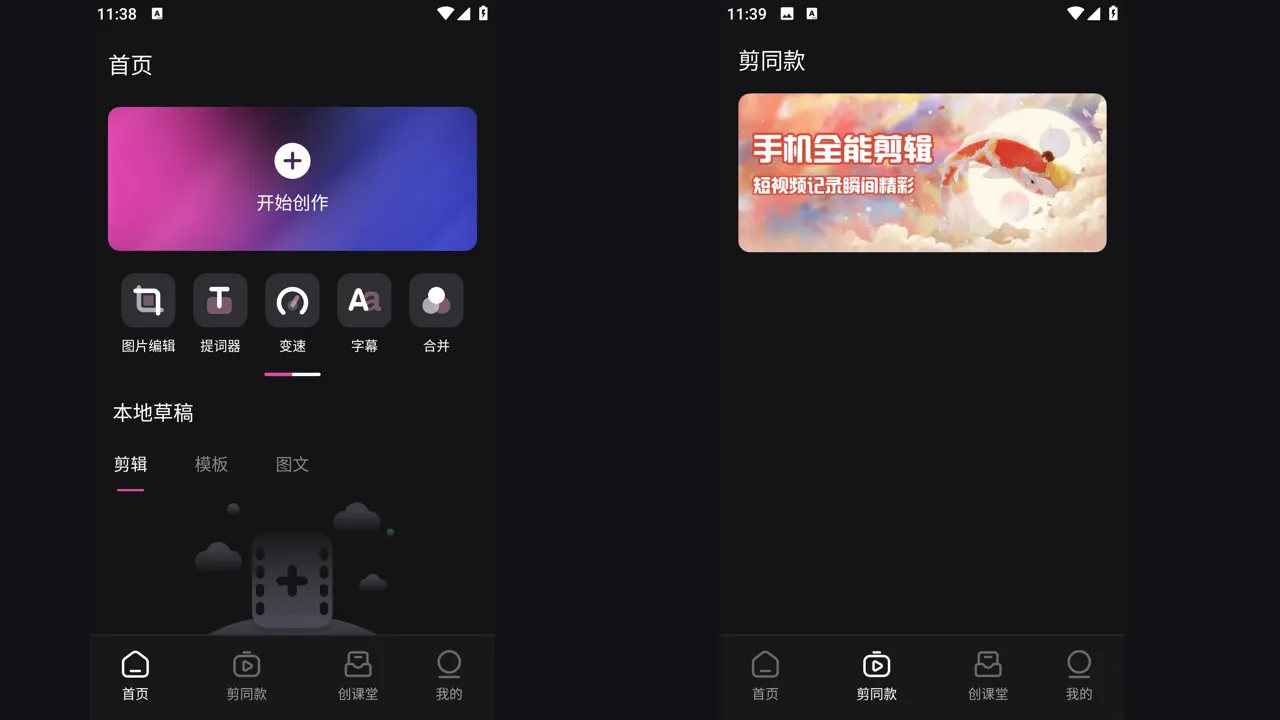
Installing the Jianying APK on Android takes about five minutes when you prepare the phone first. Jianying is ByteDance's video editor for the Chinese market, known internationally through its sibling edition CapCut, and the Android package gives you the full timeline editor with templates, captions and effects on your phone.
Most install problems come from three simple causes: not enough free storage, a blocked install permission, or a phone running a very old Android build. This guide walks through each step in the order our reviewer uses on test devices, so you can get from the download page to your first project without guesswork. If you are new to the app, start with Jianying APK for the verified facts, screenshots and download information, then come back to this guide.
Prepare your phone before you install
Jianying is a large editor, so start by freeing space. The package itself needs a little over 400 MB, and the app then caches templates, music and your project drafts, which can grow quickly once you start editing. Aim for at least 2 GB of free storage so exports never fail halfway. Check your Android version as well: Jianying needs Android 5.0 or newer, which covers almost every phone still in daily use.
Next, charge the phone or plug it in. A large install plus the first launch, where the app unpacks resources and builds its media index, can take a few minutes on older hardware. Doing this on a stable Wi-Fi connection also avoids a partial download, which is the most common reason an APK file refuses to open.
Allow installs and run the installer
Open the Jianying download page in your browser and follow the on screen steps there. When the file is on your phone, tap it in your downloads list. Android will ask you to allow installs from your browser the first time you install any APK. This is a standard system prompt: grant it for the browser only, run the installer, and you can revoke the permission again afterwards in Settings, Apps, Special access.
During installation, keep the screen on and do not switch apps. On phones with aggressive battery savers, a backgrounded installer can be paused and the package may appear corrupt. If the installer reports that the app was not installed, delete the file, download it again on Wi-Fi, and check that no older copy of Jianying with a different signature is already on the device.
Readers working through this topic usually also need our walkthrough on is jianying safe? permissions, privacy and sensible precautions, which covers the neighbouring step in the same workflow.
First launch, permissions and language
On first launch, Jianying asks for storage and media access so it can read your camera roll, plus microphone access if you want to record voiceovers. Grant media access, since the editor cannot build a project without it. Notifications are optional and safe to decline. The interface opens in Chinese by default on the domestic build. The layout mirrors the international edition closely, with icons for every tool, so most editing actions are easy to find even before you explore the settings.
Create a test project right away: import one short clip, add it to the timeline, and export at 1080p. A clean export confirms the install is healthy, permissions are right, and your phone handles the editor well. If the export stutters, close background apps and try again before changing any settings inside Jianying.
Keeping your install healthy
Editors grow over time as template packs and drafts pile up. Clear the cache from inside the app settings every few weeks, and export finished projects to your gallery or cloud storage before deleting drafts. When a new version arrives, install it over the current one so your drafts and downloaded resources carry across. Never uninstall first unless a guide specifically tells you to, because a fresh install wipes local drafts that were never exported.
Two more guides round out this workflow: jianying not working? 9 fixes that solve most problems and jianying old versions: when an older build makes sense. Together they cover the steps before and after this one, so a full project never stalls on a missing piece.
Frequently Asked Questions
Is it safe to allow installs from the browser?
Why does the installer say the app was not installed?
Will installing Jianying delete my drafts later?

Victor Liang
Victor Liang has spent nine years cutting short form video for creators and small studios, and he tests every editor on this site on real Android phones before a download page goes live. His bench work focuses on timeline performance, caption accuracy, export quality and how an app behaves on mid range hardware. More about Victor Liang